AI video & image generator for iPhone
Turn a photo or a sentence into a movie scene.
RenderAI makes cinematic AI videos up to 30 seconds in 1080p, and photoreal images that keep your face true to life. Right on your iPhone.
Made with RenderAI
Every clip below started as one photo or one sentence.
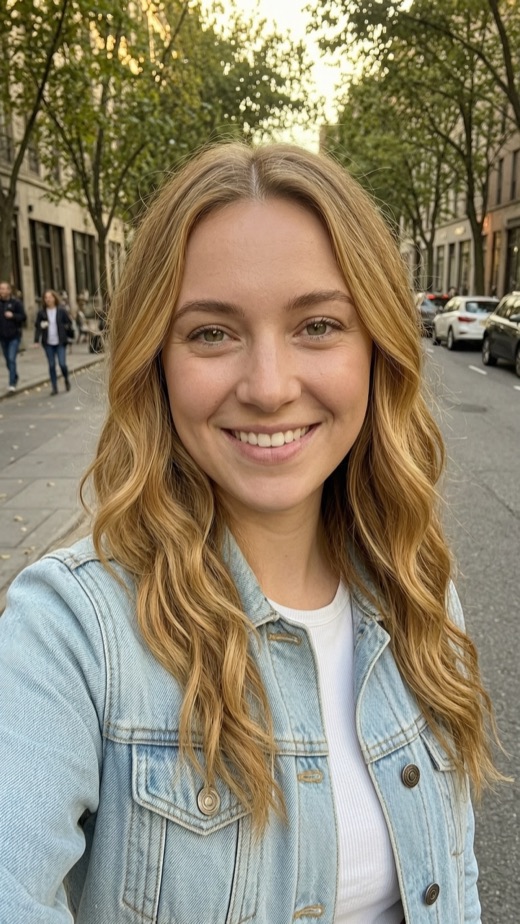
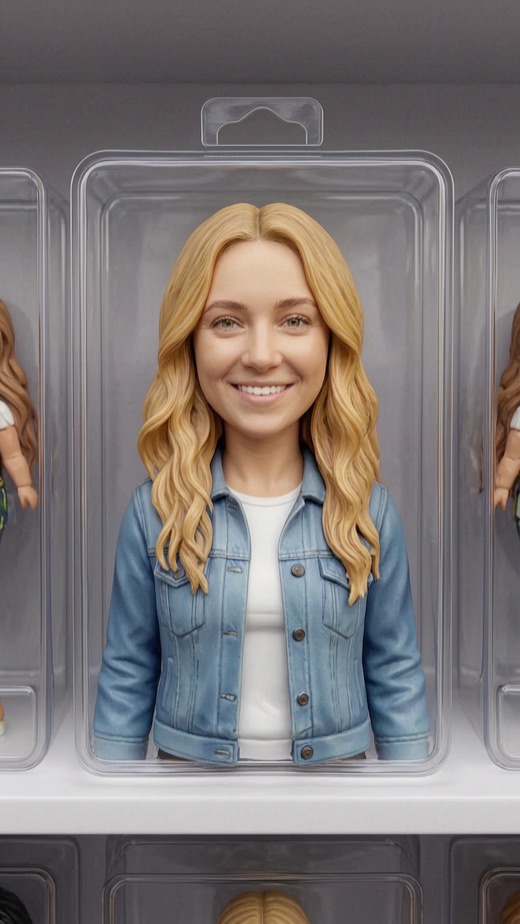
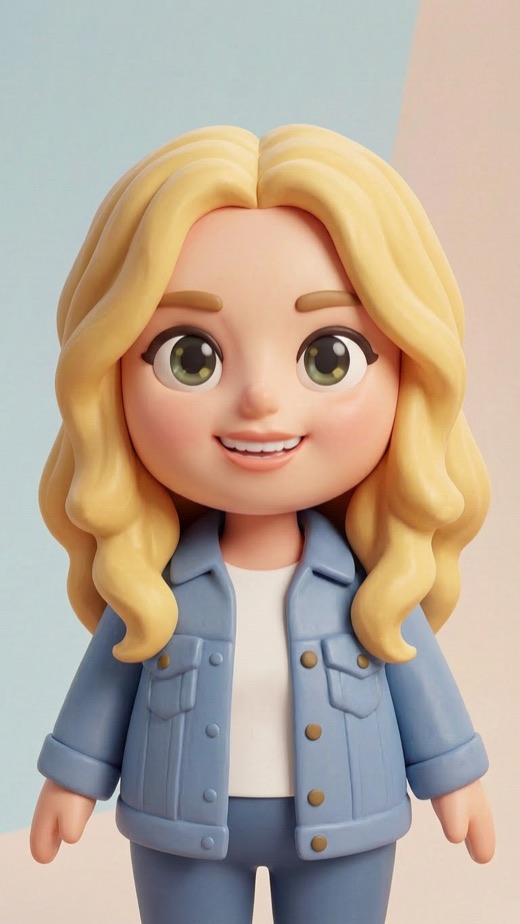
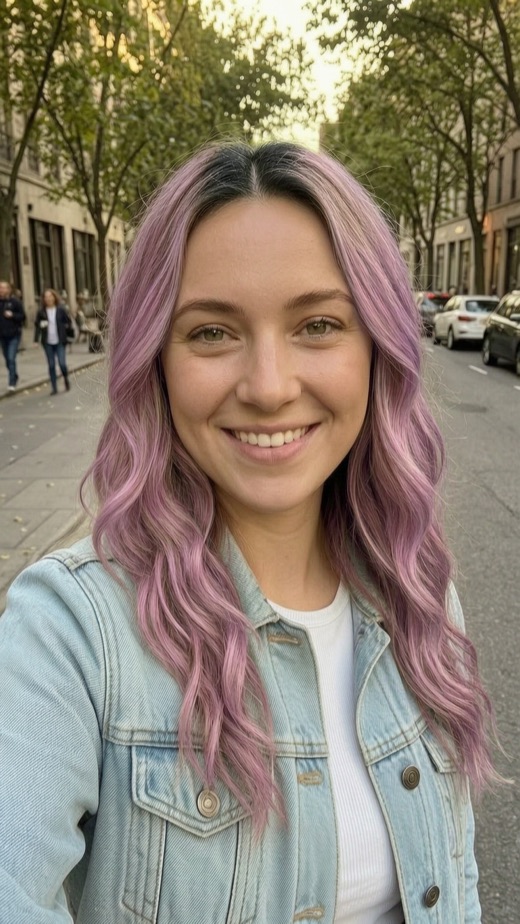
One photo, endless looks
Add a selfie. Get a headshot, a toy, a new hairstyle… and still look like you.
Our image model keeps your face true to life. No beautifying, no slimming, no stranger staring back.



Inside the app
A whole studio, without the learning curve.
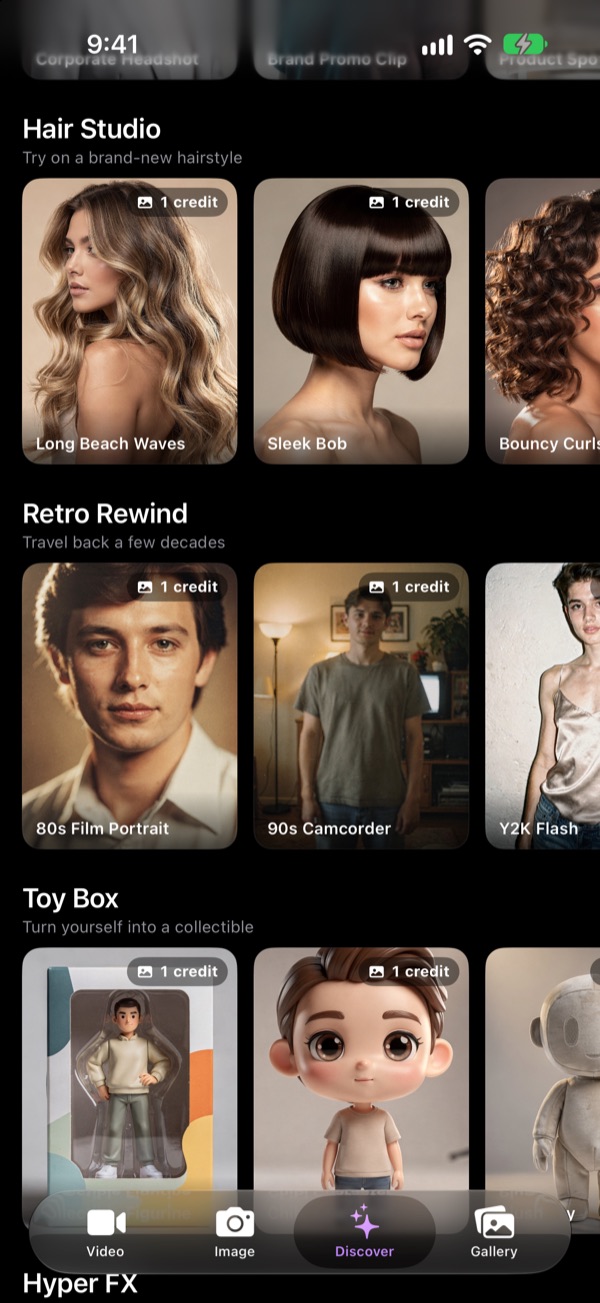
Discover
Tap a style. Add your photo. Done.
Browse ready-made styles: blockbuster movie scenes, business headshots, new hairstyles, retro decades, collectible toys and more. Pick one, add a photo, and RenderAI does the rest.
- New styles and seasonal themes added regularly
- Works with photos of you, your pet or your product
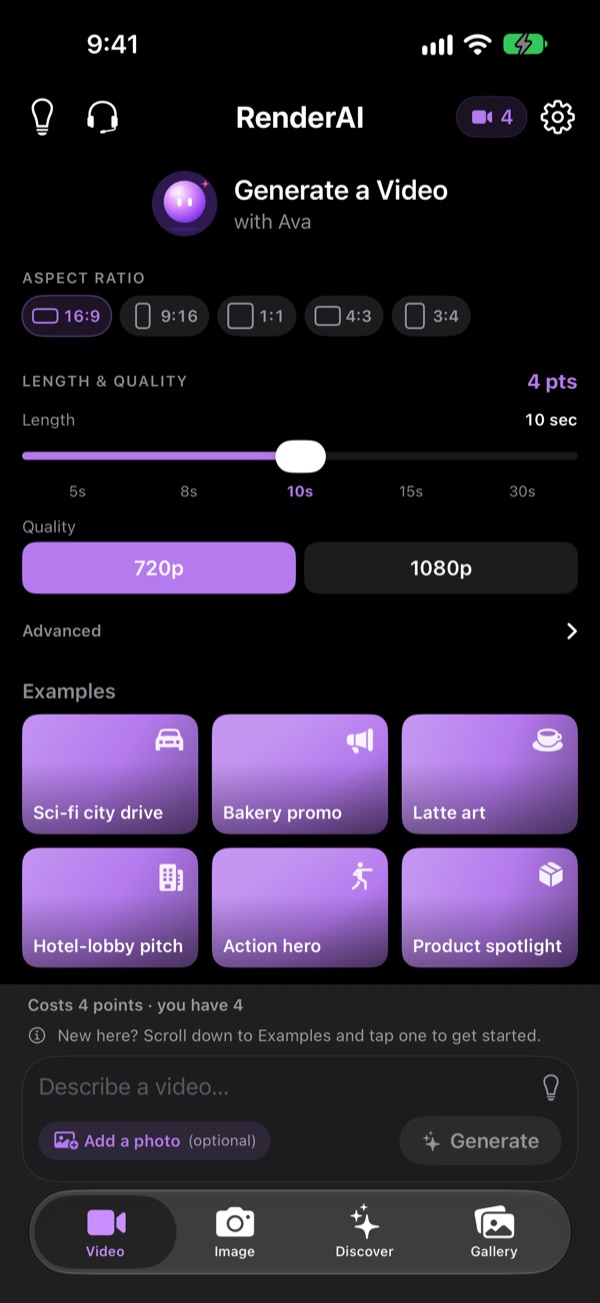
Video with Ava
Cinematic video, with sound.
Describe a scene, or start from your own photo and bring it to life. Choose a length from 5 to 30 seconds, 720p or full 1080p HD, and the shape that fits where you're posting.
- Image-to-video from any photo
- Audio included, with spoken lines in “quotes”
- 16:9, 9:16, 1:1, 4:3 and 3:4
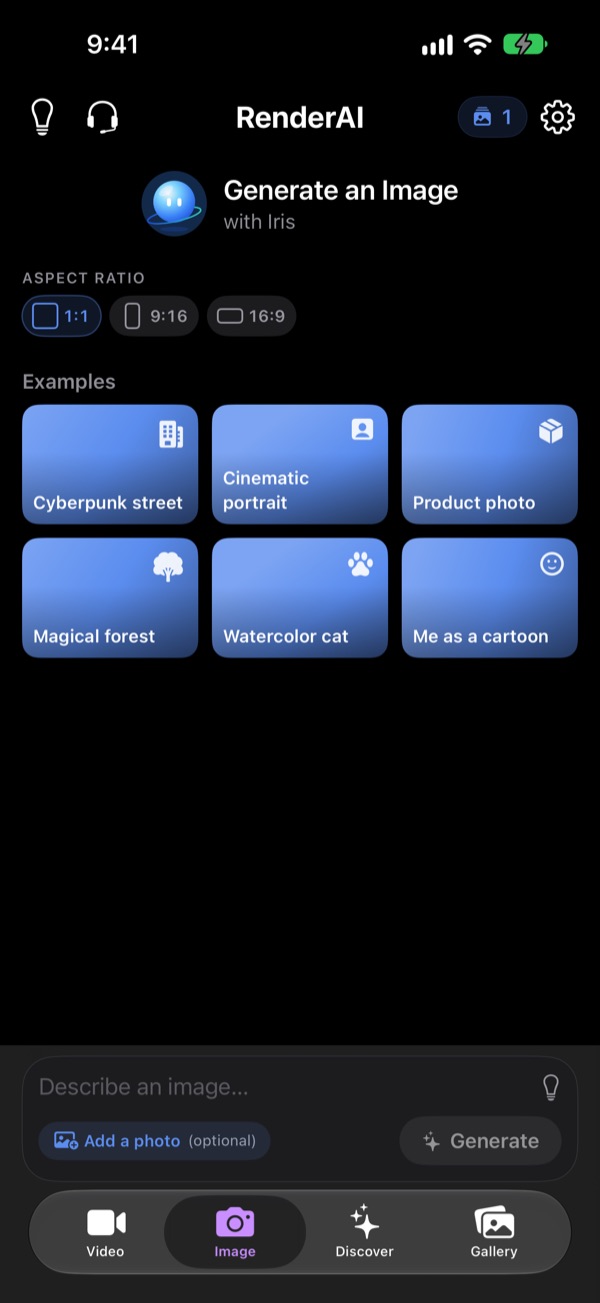
Images with Iris
Describe it, or restyle a photo.
Photoreal portraits, product shots, illustration, fantasy — type what you want or attach a photo and say what to change. Examples are one tap away when you need a spark.
- Text-to-image and photo editing in one place
- Square, portrait and landscape
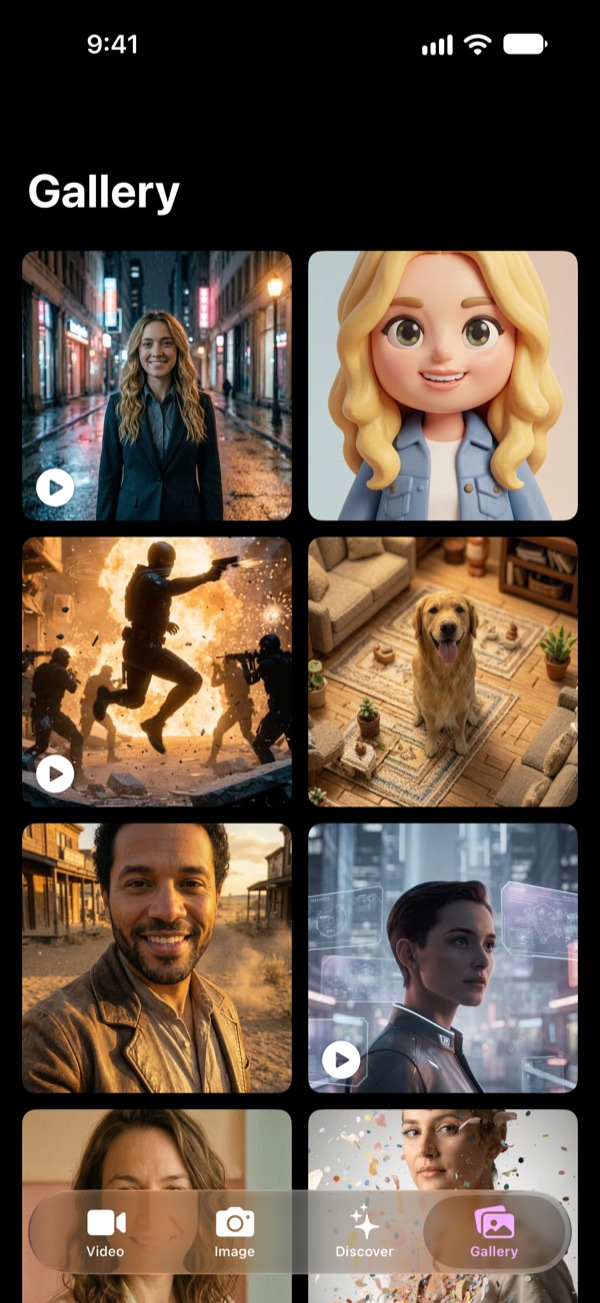
Gallery
Keep creating while it renders.
Videos render in the background. Leave the app, start something new, and we'll notify you when it's ready. Everything lands in your gallery and saves straight to Photos.
- Push notification when your video is done
- Share anywhere in a tap
Up to 30 seconds
Quick 5-second clips or full 30-second scenes in 1080p.
Video with audio
Sound and dialogue are generated with the picture.
Bring photos to life
Turn any picture from your library into a moving scene.
Renders in the background
Close the app. We'll let you know when it's ready.
Saves to Photos
Your creations go straight to your camera roll.
Private by default
No account needed. Sign in with Apple only to sync across devices.
How it works
From idea to video in three taps.
-
1
Pick a style or describe it
Choose a Discover preset or type your own idea. Stuck? Tap an example.
-
2
Add a photo (optional)
Use a selfie, a pet or a product shot to put the real thing in the scene.
-
3
Generate and share
Images arrive in seconds, videos usually within minutes. Save, post, repeat.
Pricing
Start free. Only pay for what you create.
Video uses points: short 720p clips cost less, long 1080p videos cost more. You always see the cost before you tap Generate.
Free
To get started
- One free image every day
- Free points to try video
- All Discover styles
RenderAI Pro
Monthly or yearly
- 40 premium images every month
- 20 video points every month
- Cancel anytime in iPhone Settings
Packs
No subscription
- One-time image packs
- One-time video point packs
- Top up whenever you need
Current prices are shown in the app and on the App Store.
FAQ
Questions, answered.
What can I make with RenderAI?
AI videos from 5 to 30 seconds (720p or 1080p, with audio) and AI images. Start from a written prompt, one of your own photos, or a ready-made style in Discover.
Will the results still look like me?
Yes. Our image model is tuned to keep faces true to life. It changes the scene, outfit or style you ask for without slimming, smoothing or changing your expression.
What are video points?
Videos are priced in points based on length and quality, so a quick 5-second 720p clip costs less than a 30-second 1080p video. The exact cost is shown before you generate, and if a video is cancelled your points are refunded.
Do I need an account?
No. You can use RenderAI without signing up. Sign in with Apple if you want to keep your credits and gallery when you switch devices.
What do I need to run it?
An iPhone running iOS 17.6 or later. Generation happens in the cloud, so it works great on older iPhones too.
How do I get help?
In the app, tap Contact Support in Settings, or visit our support page.

Your next scene is one tap away.
Download RenderAI free on the App Store.